Secure your APIs
Every API of API Maker is locked : a call without a valid token gets 401. You decide who gets a token, and what each token may call. You write no code for it.
In short
- A group is a list of what may be called : APIs, tables, fields.
- An API user is one app : a username and a password. Give it one or more groups.
- The app trades its username and password for a token, and sends the token on every call.
- The security report reads the whole account and says what to fix.
1. Make a group
Open Security → API Group Permissions and press +. Name the group after what it is for, for example Support team, then press Save Group.
Pick the group, then go from left to right : the kind of API, the instance, the database, the table.
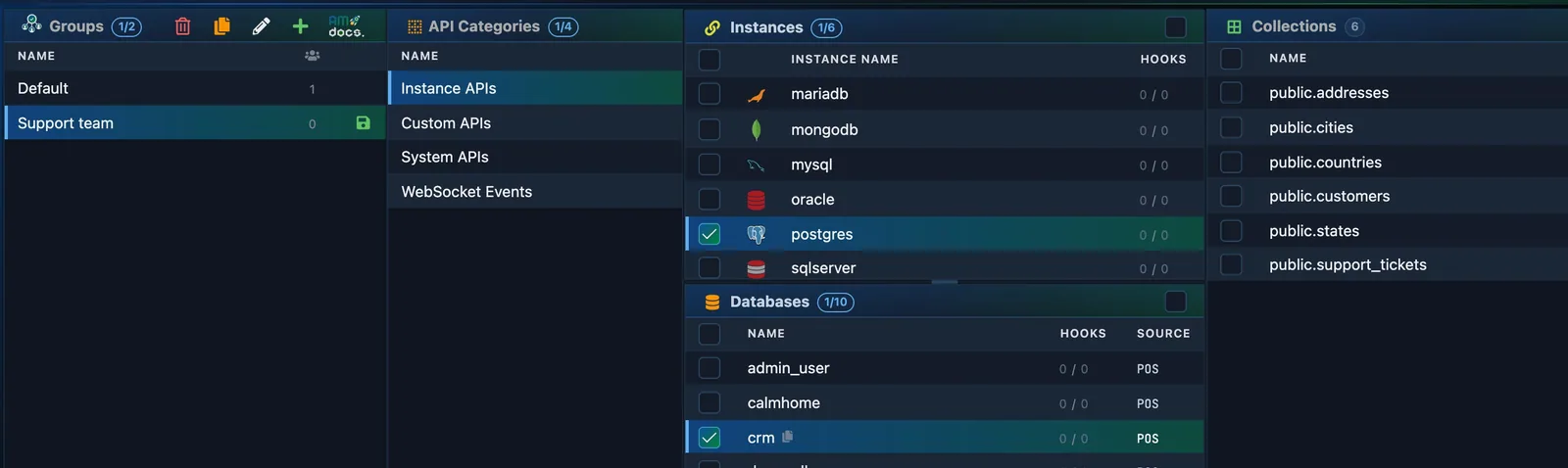
- The groups. Pick one.
- The kind of API : the APIs of your tables, custom APIs, system APIs.
- The instance, then the database.
- The tables. Then tick the APIs of each table it may call.
Tick the APIs of each table the group may call : for example Get all and Get by id to read, and nothing to write. The Schema Fields column limits the fields it may read and write. Press Save.
2. Make an API user
Open Security → API User Permissions and press +. One API user is one app : your website, your mobile app, a partner.
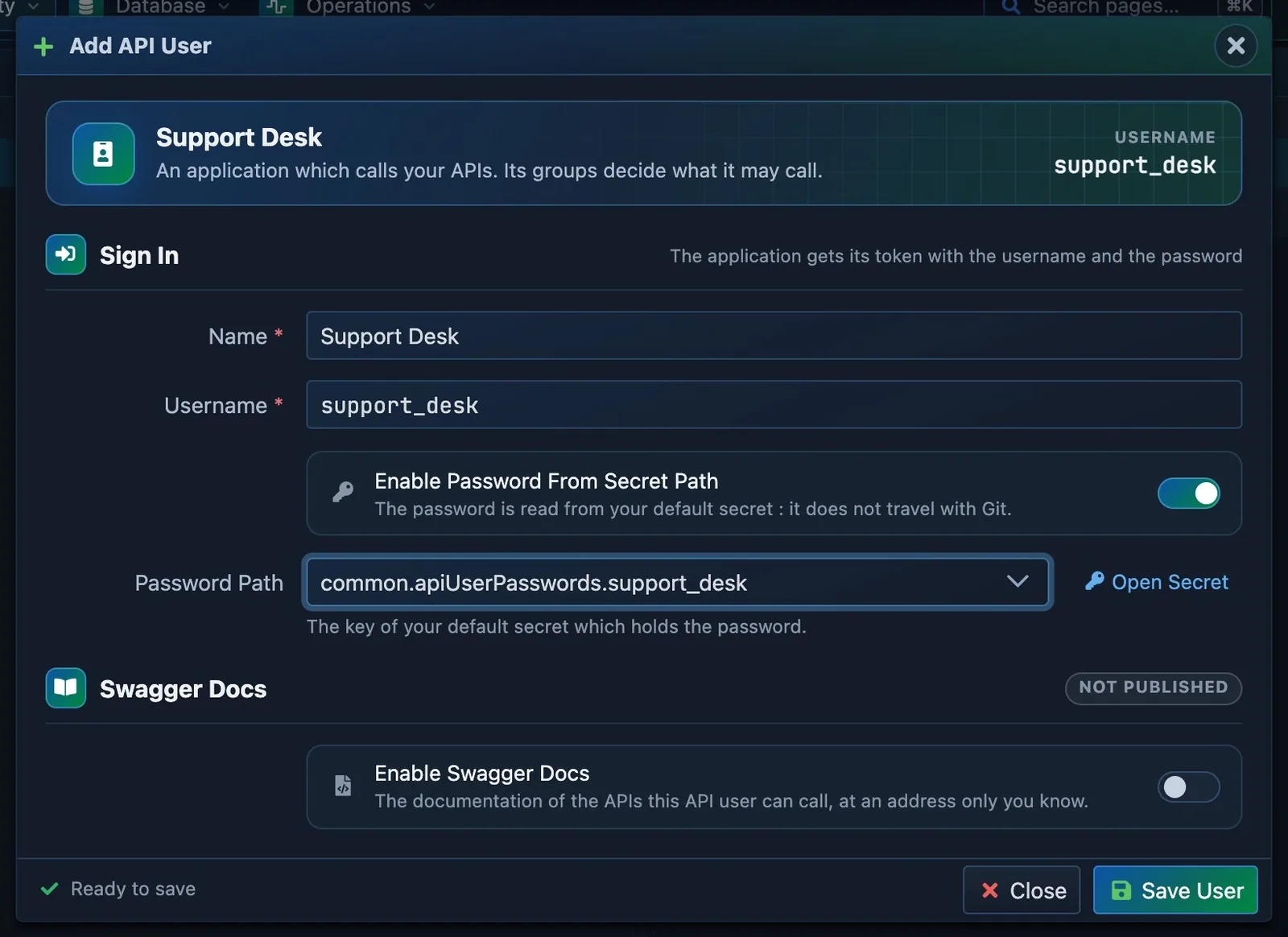
- A name : the app that will call.
- Its username.
- Where its password is kept in the secret.
- Save User.
The password is not typed here. It stays in your default secret, encrypted, and Password Path names its key. Open Security → Secret Management and add it :
apiUserPasswords: {
    default: 'Choose_A_Password_1',
    support_desk: 'a-long-password-for-the-support-desk',   // the new API user
},
3. Give it its groups
Back on API User Permissions, pick the API user, tick its groups, and press Save.

- The API user. Pick it.
- Tick the groups it belongs to.
- Save.
4. Try it
In API Testing, the Header tab has the row x-am-authorization : pick your new API user there. Call an API its groups do not allow :
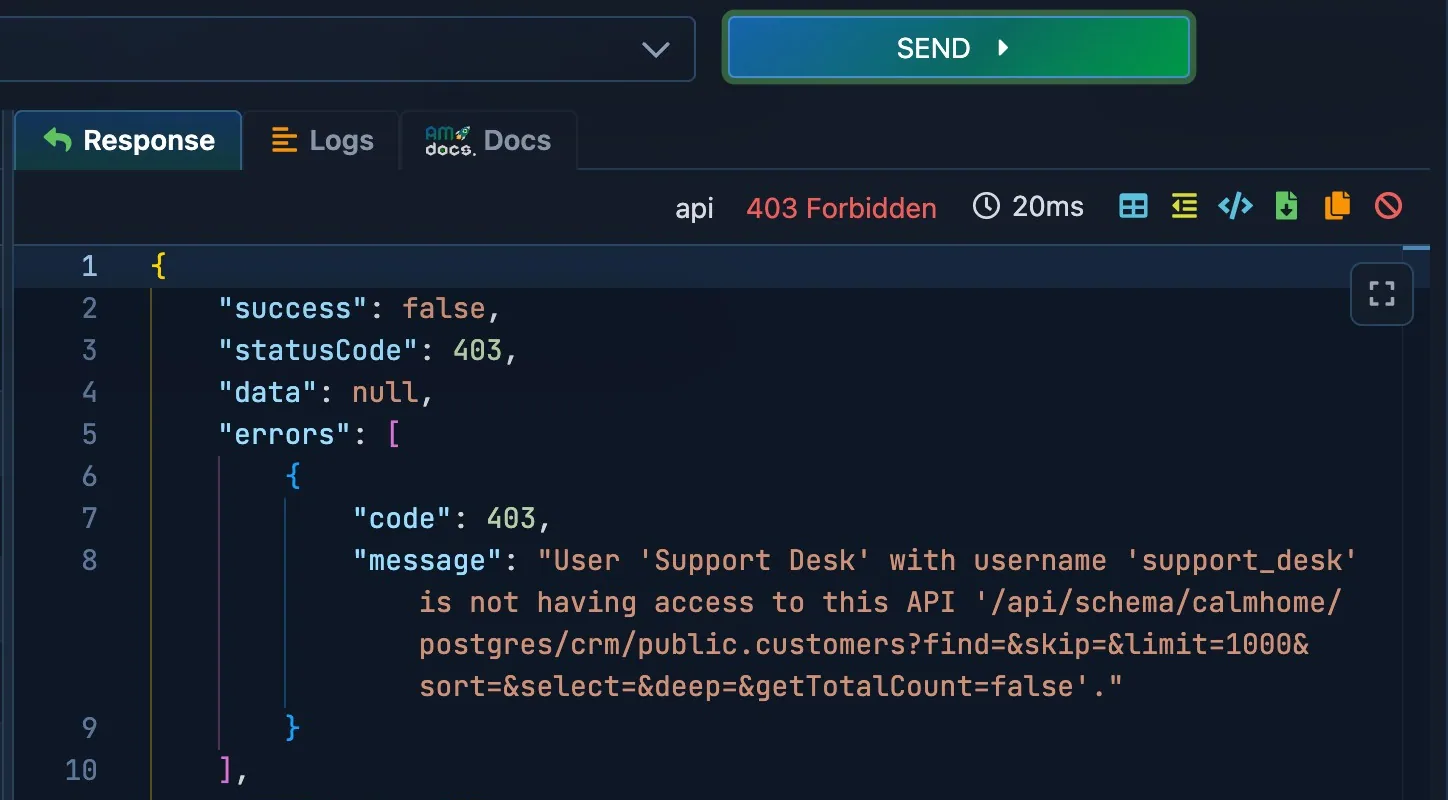
403: no group of this API user allows the call.- The reason.
403 : refused, with the reason. Call an API the group allows, and the data comes back. Your app does the same with a token :
# 1. the token of the API user
curl -s -X POST "$AM/api/system-api/admin/token" \
  -H "Content-Type: application/json" \
  -d '{ "u": "support_desk", "p": "a-long-password-for-the-support-desk" }'

# 2. a call, with the token
curl -s "$AM/api/schema/admin/mongodb/shop/customers" -H "x-am-authorization: <the token>"
5. Public, private, or only for your code
Each table and each custom API has an access type :
| Access type | Who may call |
|---|---|
TOKEN_ACCESS |
Only callers with a token whose groups allow it. The default. |
IS_PUBLIC |
Anyone, without a token : a public price list, a contact form. |
NO_ACCESS |
Nobody from outside : only your own code and API Testing. |
Set it in the settings of the table or of the custom API.
6. Let the security report check the account
Open Security → APIs Security Report & Actions. It reads every setting, group, hook and line of code of the account, and gives a score out of 100.
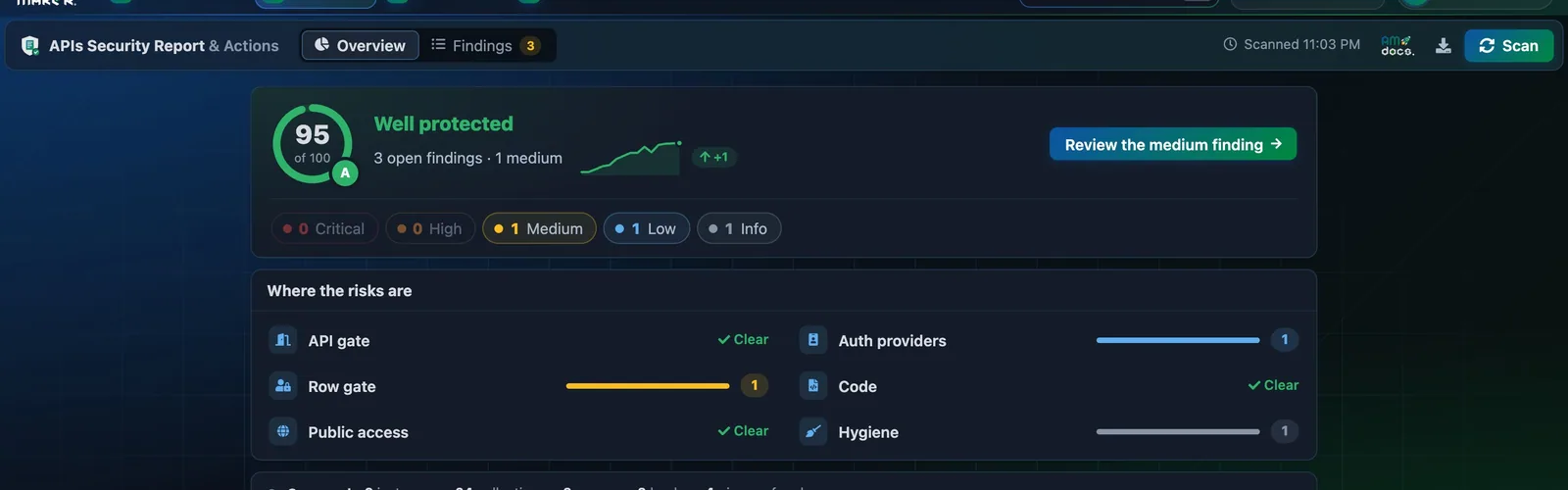
- Scan the account again after a change.
- The score, out of 100.
- Where the risks are. Open one to see the finding and its fix.
Each finding says what a person could reach, with the request that proves it. Most have a fix : look at the change, apply it, and the account is scanned again.
People, not only apps
An API user is an app. When people sign in to your app, each person can also get a token, and a pre hook keeps them to their own rows : see the two gates and Handle role based permissions.
Before real users arrive, go through Before you go live : the default API user and its group Default, which allows everything, must go.