The admin panel
The admin panel is where you build everything : you connect databases, design tables, write code, test APIs and watch what happens. It runs in your browser, and API Maker serves it.
In short
- Sign in with your email, your password and the letters of the picture.
- The home page has four groups of pages : APIs & Logic, Security, Database and Operations.
- Press ⌘K (Ctrl K on Windows and Linux) to jump to any page.
Sign in
Open the address of the admin panel. On your computer, Launchpad shows it on the dashboard of the project : http://127.0.0.1:4626 by default.
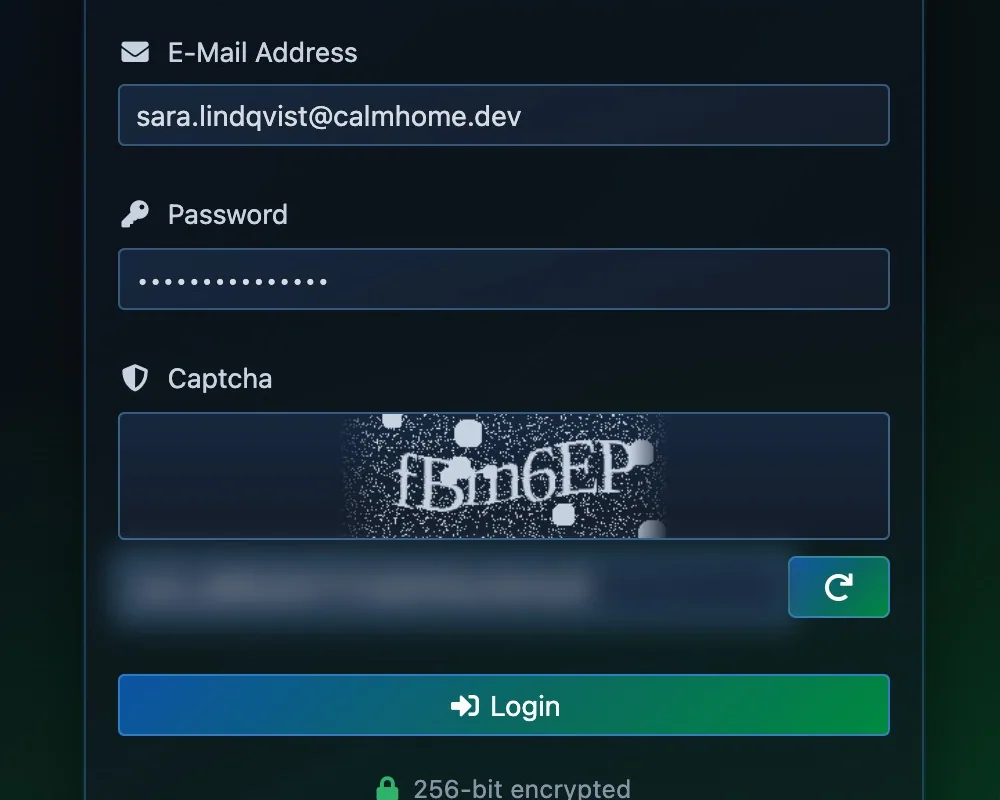
- Your email.
- Your password.
- Type the letters of the picture.
- Login.
Type your email and your password, then the letters of the picture : that is the captcha. Press Login. Launchpad shows the email and password of the Admin user. On a server, change the passwords before anyone else can reach it : see Before you go live.
The home page
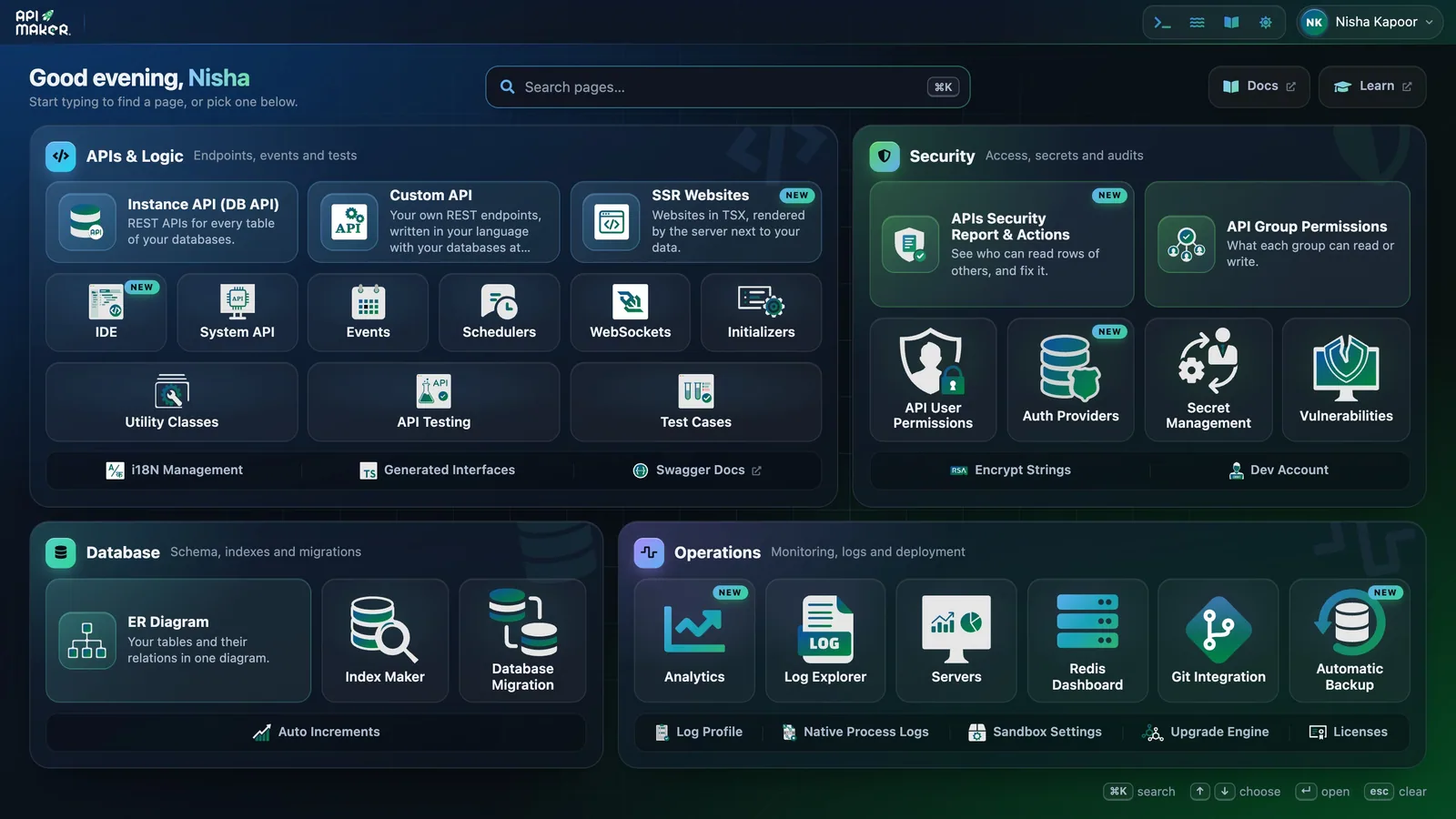
- Search : type a word, the pages that match stay lit.
- APIs & Logic : your APIs and your code.
- Security : who may call what, secrets, the security report.
- Database : tables, indexes, migrations.
- Operations : logs, analytics, Git, backups, servers.
| Group | What you do there |
|---|---|
| APIs & Logic | Connect your databases (Instance API). Write custom APIs, events, schedulers and WebSocket events. Try any API in API Testing. |
| Security | Who may call what (API User Permissions, API Group Permissions), the sign-in of your users, your secrets, and the security report. |
| Database | The diagram of your tables, their indexes, and migration scripts. |
| Operations | Analytics, logs, servers, Git, backups and upgrades of API Maker. |
Menus and search
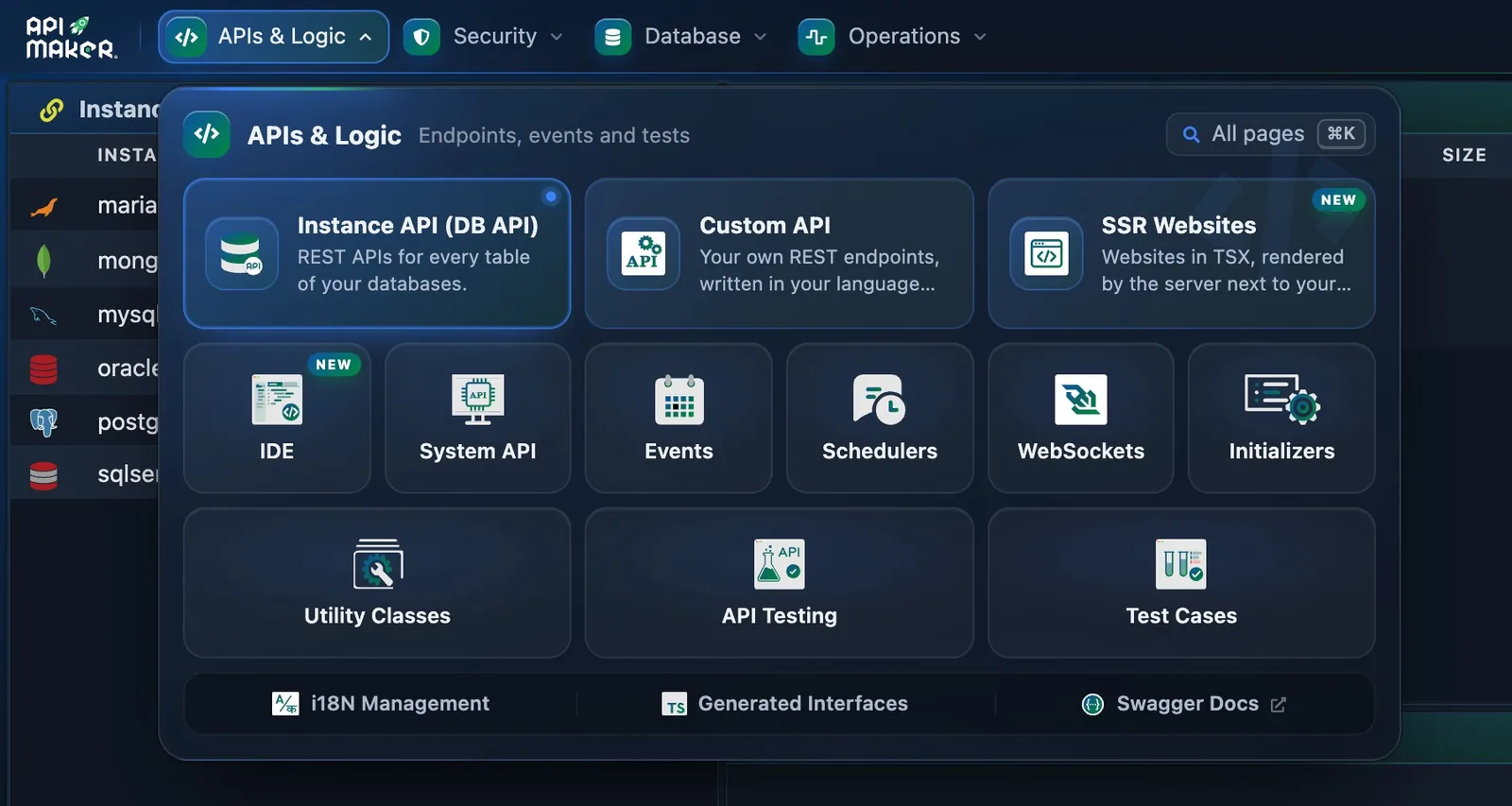
- The menus of the top bar reach every page from anywhere.
- The pages of that group.
- The menus of the top bar reach every page, from any page.
- The search box of the home page lights up the pages that match what you type.
- ⌘K (Ctrl K) opens the command palette : type a few letters of a page, then press Enter.
- ? on any page numbers its controls and says what each one does.
The sample shop
A new account is not empty. It holds a sample shop to read and to try : an instance named mongodb, the tables of a shop (categories, customers, products, orders), custom APIs, hooks and an event. Your first API uses it.
The guided tour
The panel has a guided tour. Press the route icon in the top bar to open it. It gives one small task at a time, on the real pages, and rings the control to press. A step ticks itself once it is done. Its first steps take a new account to a working API : the same path as these pages.
- Clean start, its first step, removes the sample shop. Keep the sample if you follow these docs.
- Tour data : see below.
- The tour can be switched off in its own window. The icon stays, so you can come back.
Tour data
Right after your database answers, the tour offers tour data : a small shop of customers, products and orders, made in a new database the way your kind of database works. Every next step then has rows to show. The same step removes it in one click. It never touches your own tables.
Next step · 4 of 7 Your first API Connect a database, save a row, read it back.