Your own code
The ready-made APIs read and write your tables. When you need more, like a report, a total, or a call to another service, you write a custom API : one function behind a URL. You write it in the admin panel, and it works as soon as you save it. There is nothing to build or deploy.
In short
- A custom API has two parts : Basic Info (its name, path, method, and who may call it) and Code (one function).
- Your function gets one object,
g: the request ing.req, your databases ing.sys.db. - What the function returns is the answer. Save it, then press Test.
1. Add a custom API
Open APIs & Logic → Custom API, then press + (Add New). The dialog has three tabs : Basic Info, Code and Docs.

- Tabs : Basic Info, Code, Docs.
- Its name, its path, its method, who may call it.
Basic Info says where the API answers and who may call it. It is a few lines of TypeScript. Write these :
| Basic Info | |
|---|---|
2. Write the code
Open the Code tab. The language is TypeScript : you can pick another one above the editor.
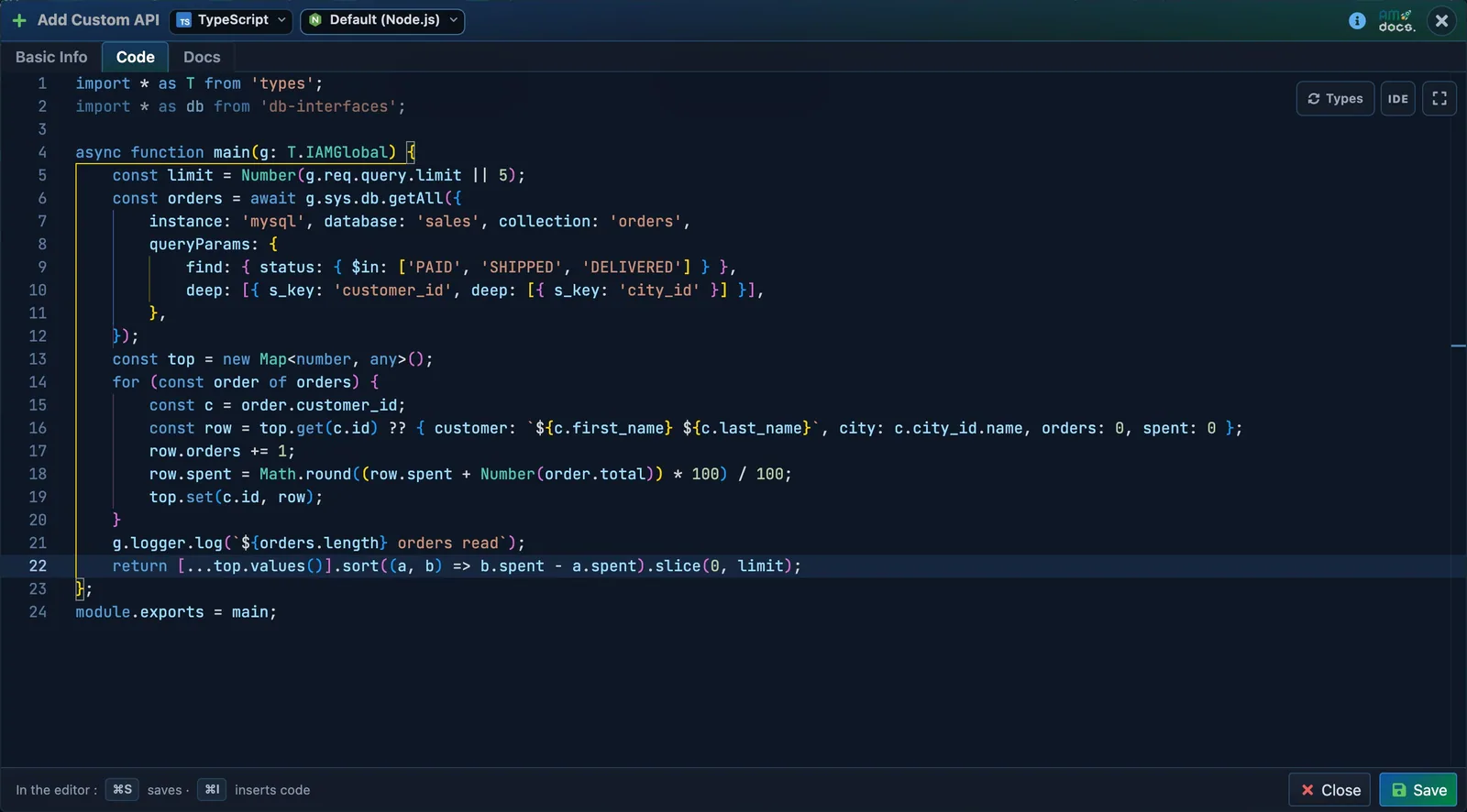
- The language and its runtime : TypeScript is the default.
- Your function.
gbrings the request and every API of API Maker.
Write a function named main. It reads the most expensive products of the sample shop, and returns their names and prices :
Type g. in the editor : it lists what g holds. It also knows your instances, tables and fields, and completes them as you type.
3. Save and test
Press Save. Your API shows in the tree of the page. Press its Test button.
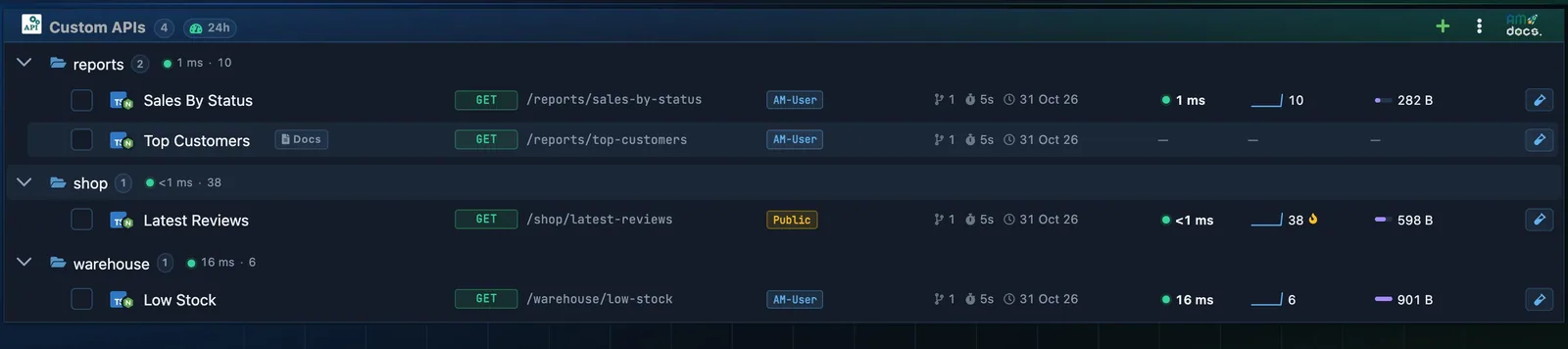
- Your custom API, in its folder.
- Test opens it in API Testing.
API Testing opens on your API. Press SEND.
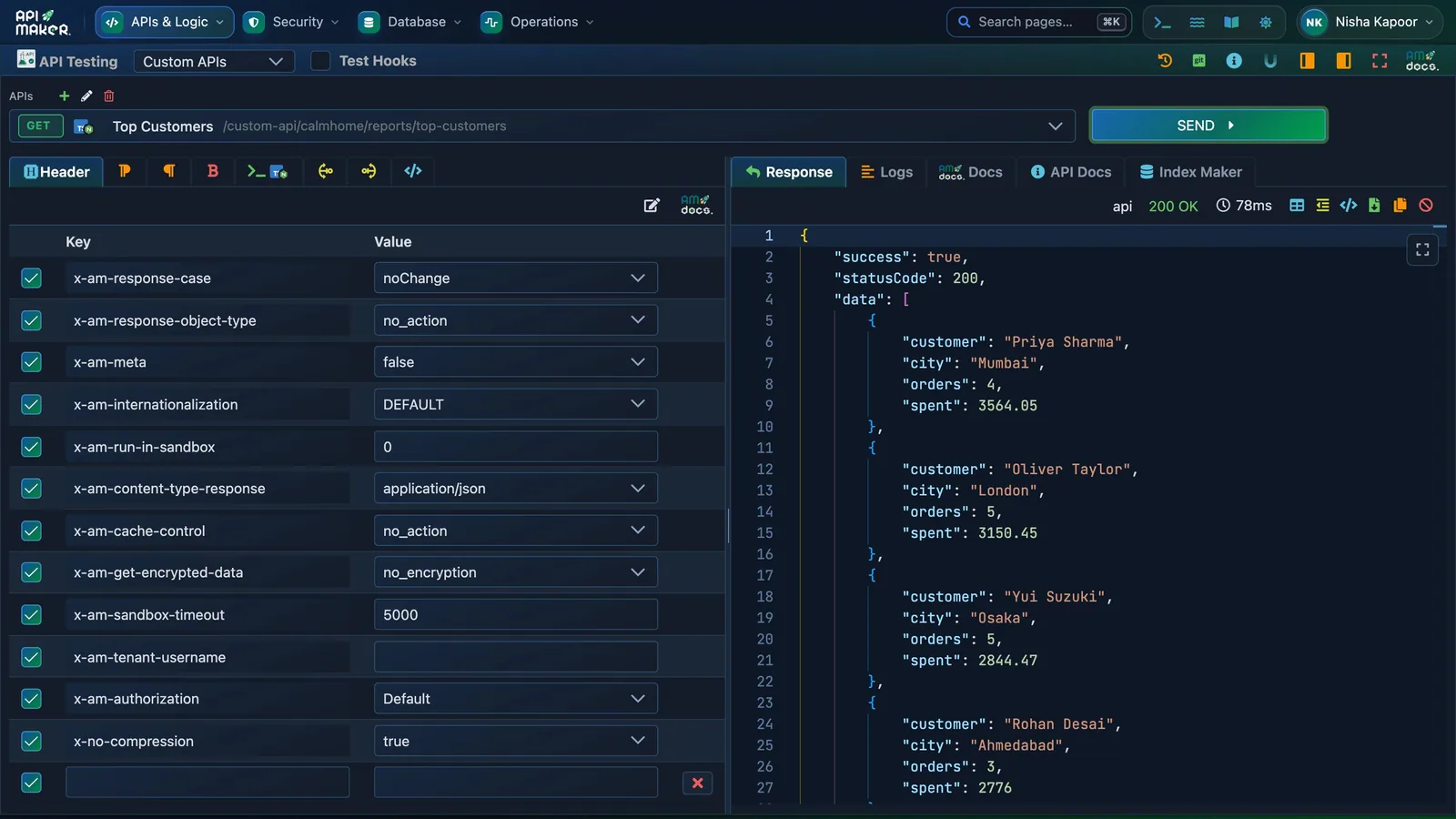
- SEND calls it.
- The status and the time it took.
- What your function returned.
The answer is what main returned, inside the usual envelope : { "success": true, "statusCode": 200, "data": [ … ] }. The Logs tab shows what g.logger.log wrote. Change the code, press Save Code, and press SEND again : the new code answers at once.
4. Call it from your app
The URL of a custom API is /api/custom-api/<account>/<path> :
The token is the one of step 6 of Your first API.
Where else your code can run
A custom API runs when an app calls its URL. Your code can also run at other moments :
| Code | It runs | Example |
|---|---|---|
| Pre hook | before an API | keep a person to their own rows |
| Post hook | after an API | hide a field in the answer |
| Event | after something happened | an order is saved : send an email |
| Scheduler | on a timer | every night : clean old carts |
| WebSocket event | when your apps should hear of a change | a new order shows live on a screen |
| Utility class | when your other code calls it | a price calculation used by ten APIs |
| Test case | when you run the tests | check that Top Products answers |
In another language
TypeScript, Python, PHP, C#, Go, Rust, Java and Kotlin all work. Pick the language above the editor : it offers a template. The Hello world of the custom APIs page shows the same function in all eight.
More : Custom APIs (every setting, files, errors) · the global object g · code examples.
Next step · 6 of 7 Secure your APIs Decide which app may call which API.