# Playwright on the native process
> Install Playwright and Chromium on the API Maker server, run a custom API on the native process and turn HTML into a PDF with Playwright.
Source: https://docs.apimaker.dev/v1/docs/blog/General-Blogs/Playwright.html
First, log in to the server where **API Maker** is installed.
Make sure you’re logged in as the **root** user.
Run the command below to check whether you’re logged in as root:
```bash
whoami
```
If the output is not `root`, you need to switch to the root user.
Run the following command:
```bash
sudo -s
```
---
After that, run the command below:
```bash
npx playwright install --with-deps chromium
```
This will install all the required browser and OS dependencies for Playwright.
---
Next, navigate to the project root folder:
```bash
cd /root/projects/sava_api_maker/
```
Install Playwright as a dependency:
```bash
npm i playwright
```
---
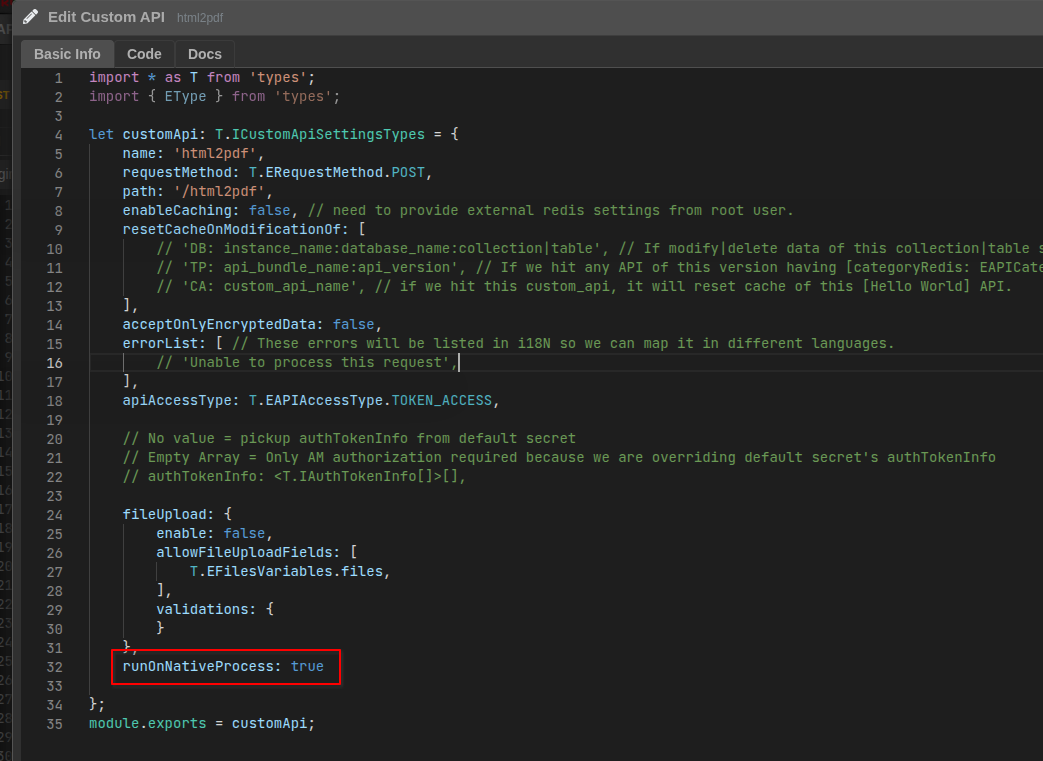
Now, from the API Maker dashboard, create a **native custom API**.
To run the custom API as a native process, enable it in the **Custom API Schema** under the **Basic Info** section by setting:
```js
runOnNativeProcess: true
```
Below is the Image Reference -
Once the API is created, you can import Playwright directly into your API code:
```js
const playwright = require("playwright");
```
At this point, Playwright is fully available in your code, and you can use it according to your requirements.
---
Below is a simple example that demonstrates how to generate a PDF from HTML using the **Playwright** library.
```ts
import * as T from 'types';
import { join } from 'path';
const playwright = require('playwright');
async function htmlToPdf() {
const browser = await playwright.chromium.launch();
const page = await browser.newPage();
const filePath = join(__dirname, 'uploads', 'playwright.pdf');
const html = `
Hello from Playwright (ESM) 👋
`;
await page.setContent(html, { waitUntil: 'load' });
await page.pdf({
path: filePath,
format: 'A4',
printBackground: true,
margin: {
top: '20mm',
right: '20mm',
bottom: '20mm',
left: '20mm',
},
});
await browser.close();
// `filePath` contains the location of the generated PDF.
// You can use this path to upload the file to a storage provider
// or serve it for download.
}
async function main(g: T.IAMGlobal) {
await htmlToPdf();
return 'pdf created on the server';
}
module.exports = main;
```
---
**Reference Links:**
[Playwright Docs](https://playwright.dev/)
[Downloading Files in API Maker](https://docs.apimaker.dev/v1/examples/custom-apis/custom-api.html#download-file)